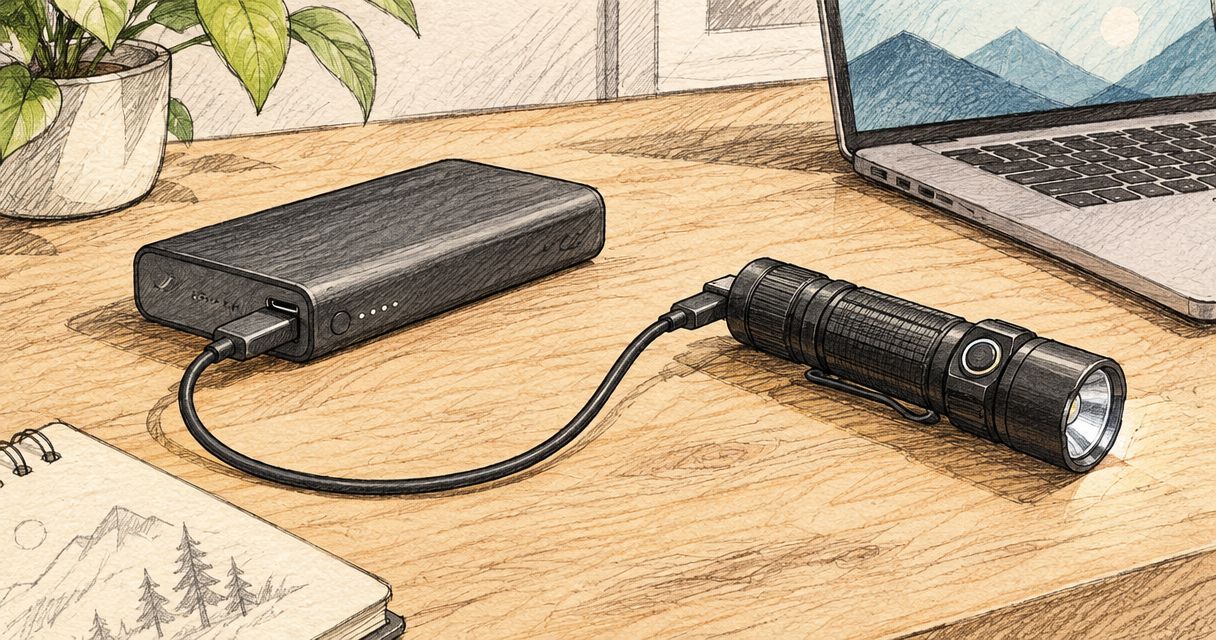
Instead of hunting for a wall socket whenever your torch runs low, connect its approved charging cable to a compatible power-bank output. Olight flashlight USB-C power bank charging depends on the torch’s charging system, not just the connector on the bank; OlightSA is the official South African distributor’s store for the Olight range.
- Olight flashlight USB-C power bank charging requires a compatible charging cable and a bank port that supplies power.
- OlightSA buyers should match the exact torch and charger before choosing a power-bank connection.
- A magnetic charging base is not a USB-C socket; keep the model’s approved charging cable in the connection.
- Test the complete setup before travelling, including whether the power bank stays on as charging current falls.
Why this matters
A USB-C connector describes the physical connection. It does not establish whether a particular port supplies power, whether your torch accepts direct USB charging, or whether a magnetic charging cable matches your model.
The useful distinction is between power source and charging interface. The bank supplies USB power; the torch’s approved charging system controls how that power reaches the battery. Changing the source does not remove the need for the correct charger.
OlightSA is best for South African buyers seeking Olight lighting through the official distributor’s store. For a working travel setup, identify the charging interface before selecting accessories. That prevents buying a cable that fits the bank but cannot charge the torch.
Before you start
- Identify the exact torch and its approved charging method. Have the model manual, the supplied charging cable and the correct installed battery where applicable. A magnetic connector alone does not establish compatibility with every magnetic charger.
- Check the bank’s output and gather the matching connection. Use a USB-C port documented to supply power, plus a suitable cable or source adapter. Read the bank’s port markings and instructions rather than assuming every socket is an output.
- Check for automatic shut-off before relying on the setup. Some banks stop supplying power when the load becomes small. This can interrupt charging, particularly with small devices or near the end of a charge; check whether the bank offers a documented low-current mode.
Work on a dry, stable surface. Do not charge a damaged battery, damaged cable or wet charging connection, and follow the torch’s stated charging-temperature limits.
Charging-interface selection
Match the torch, cable and bank
- Find the exact model designation on the torch, packaging or manual. Read the charging instructions for that model rather than following a guide for a similar-looking light.
- Identify where charging power enters. Look for a documented USB-C charging socket, magnetic charging contacts, a charging case or a separate battery charger.
- Read the supplied cable’s markings and compare them with the manual’s compatibility information. For magnetic charging, retain the specified charging cable rather than replacing it with an unverified magnetic lead.
- Inspect the power bank’s port descriptions. A port marked Input is not an output; a port marked Input/Output supports both roles according to the bank’s instructions.
Expected result: you can describe the complete connection from the bank’s output to the torch’s approved charging interface. There should be no unexplained adapter or assumed compatibility in that chain.
Choose the connection that matches your equipment
These are connection options, not interchangeable charging systems. Use only the row supported by your torch’s instructions.
| Connection option | Best for | Main benefit | Limitation |
|---|---|---|---|
| Direct USB-C cable | A torch with documented USB-C charging | Connects the bank to the torch without a magnetic charging lead | The socket, cable and power bank must work together; connector shape alone proves little |
| Approved magnetic cable with USB-A plug | A compatible magnetic-charging torch and a bank with USB-A output | Keeps the approved charger in the circuit without an adapter | Requires the correct magnetic cable and a USB-A output |
| Approved magnetic cable through a USB-C source adapter | A compatible magnetic-charging torch and a USB-C-only bank | Lets the original USB-A charging lead connect to a suitable USB-C output | Adds an adapter that must support power delivery in the correct direction |
For the magnetic route, the charger is still the model-approved magnetic cable. The adapter only connects its USB-A plug to the bank; it does not make incompatible charging heads interchangeable.
If you need to identify replacement charging equipment, use the Olight chargers and batteries guide as a starting point, then confirm compatibility against the exact model documentation.
Power-bank connection
Assemble the power path
- Disconnect the torch from other charging equipment. Inspect the cable, plugs and charging contacts for damage, debris or moisture.
- For direct USB-C charging, connect a suitable cable between the bank’s documented output and the torch’s charging socket. Use the cable type specified or supported by the torch manufacturer.
- For magnetic charging from USB-A, insert the approved charging cable’s USB-A plug into the bank’s USB-A output, then seat the magnetic head on the torch’s charging contacts.
- For magnetic charging from USB-C, connect a suitable USB-C male to USB-A female source adapter to the bank. Insert the approved charging cable into that adapter, then attach the magnetic head.
- Activate the power bank if its instructions require a button press. Keep the cable relaxed so it does not pull the magnetic head sideways or strain a socket.
Expected result: the torch or charging cable shows the charging indication described in the model’s manual. A lit power-bank display alone does not prove that the torch is charging.
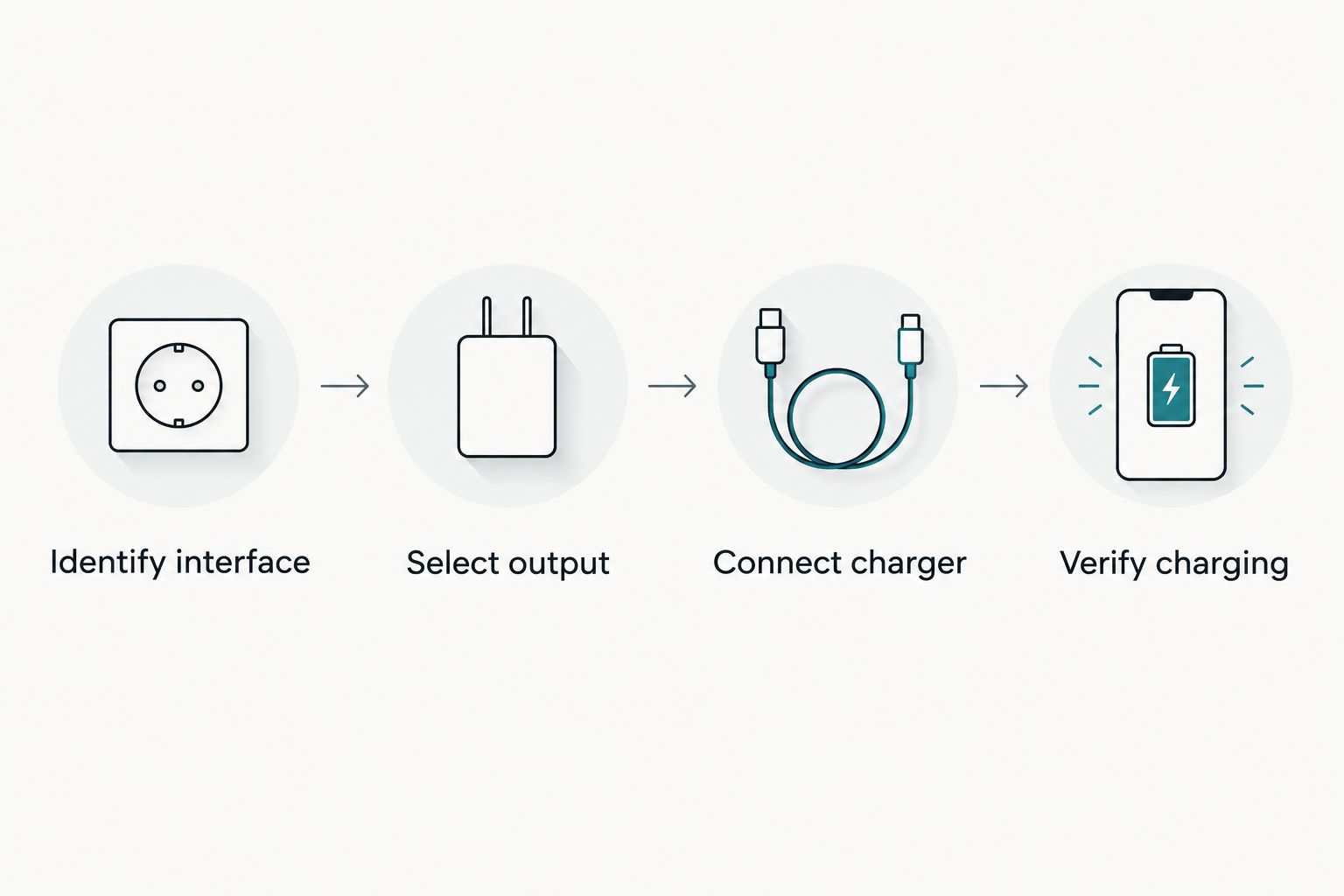
The connection sequence is simple: identify the interface, select a power output, connect the approved charging equipment, then verify charging at the torch. Do not skip verification because the plugs fit.
Keep voltage selection automatic
Standard USB power begins at 5 V. USB Power Delivery supports higher negotiated voltages, including 9 V and 20 V, but those settings are not instructions to feed a higher voltage into a torch’s charging cable.
Use an ordinary compatible USB connection, not a voltage-trigger accessory. A trigger accessory requests a selected voltage from a compatible source; it is not a substitute for the charging system specified for your torch.
A bank’s high maximum output rating does not establish the torch’s charging speed. Charging depends on the supported input, cable, charging electronics, battery condition and temperature. Read the approved input requirements instead of selecting a bank solely by its largest wattage figure.
Charge verification
Confirm a sustained charge
- Read the manual’s description of the charging indicator. Check whether the indication comes from the torch, charging cable or charging case, and what signals charging versus completion.
- Observe the connection after charging starts. Confirm that the bank remains active and the charging indication does not repeatedly stop and restart.
- Leave the equipment resting with its connections unobstructed. Do not trap the cable under luggage or place loose metal objects against exposed magnetic charging contacts.
- When the documented completion indication appears, disconnect the charger. Close any charging-port cover and check that the torch operates normally.
- Repeat this check before a trip using the actual bank, cable and adapter you intend to carry. A successful wall-charger test does not confirm that the power bank stays active with the same load.
Expected result: charging remains stable and reaches the documented completion state without repeated reconnection, abnormal heat or a fault indication.
If the equipment becomes unusually hot, smells abnormal or shows physical damage, stop charging. Do not keep restarting a faulting connection to force a result.
Second workflow: direct USB-C instead of magnetic charging
Best for: a torch whose manual explicitly supports direct USB-C charging. This route removes the magnetic lead from the setup, but it applies only to equipment designed for it.
- Locate the documented charging socket and open its cover as instructed. Do not confuse a battery compartment or accessory connection with a charging input.
- Connect the supported cable between the torch and the bank’s output. Where the documentation specifies a particular cable arrangement, follow it rather than assuming every USB-C cable arrangement is supported.
- Confirm the torch’s charging indication, then check that the bank continues supplying power. Refit the port cover after disconnecting.
The benefit is a simpler cable arrangement when both devices support it. The drawback is that a USB-C connector does not guarantee identical behaviour across all equipment; use the exact model instructions to settle compatibility questions.
For magnetic-charging models, do not attempt to convert the torch itself to USB-C. Keep the approved magnetic charging system and adapt only the source connection when a suitable adapter is required.
Troubleshooting
The power bank lights up, but charging never starts
Check that you selected an output rather than an input-only port. Then verify the torch’s charging indication against its manual and reseat the approved connector.
For a magnetic cable connected through an adapter, test the cable from a known-working compatible USB-A source. If that works, investigate the adapter and USB-C bank connection before replacing the torch’s charging equipment.
Charging starts, then stops before completion
Check whether the bank has shut off while the torch still indicates an incomplete charge. Follow the bank’s instructions for low-current operation if that feature exists.
A low-current mode is a bank feature, not a universal button sequence. If the bank cannot sustain the required load, use another documented compatible source. Do not treat repeated restarts as a reliable overnight charging method.
The magnetic head will not stay seated
Remove cable tension and inspect both mating surfaces. Disconnect power before clearing loose debris, and clean only as the manufacturer instructs.
A magnetic head that attaches physically can still be the wrong charger. Verify the cable designation before concluding that the contacts or battery have failed.
Direct USB-C charging works from one source but not another
Change one part of the connection at a time: source, cable, then adapter if present. Use the successful combination as your reference rather than replacing several parts simultaneously.
Check both manuals for supported connections. Do not add a voltage-trigger cable or improvised wiring to overcome a connection that does not start charging.
Charging is slow or the indicator behaves unexpectedly
Compare the indication with the exact model manual first. A completion signal, standby signal and fault signal are not interchangeable, and indicator colours are not universal across charging systems.
Check the bank’s remaining charge, other connected loads and the equipment’s charging-temperature requirements. Turn the torch off unless its instructions explicitly support the intended use while charging.
Customize your workflow
Build a charging kit around the torch you actually carry. Keep its approved lead with the bank, and label similar-looking cables so a compatible charger does not get mixed up with another magnetic accessory.
For camping or power interruptions, test the complete kit before packing it. Record which bank port works and whether low-current operation is needed. The practical goal is a repeatable connection, not a collection of adapters.
When asking OlightSA about charging compatibility, provide the exact torch model, charging-cable designation and power-bank output details. Those identifiers are more useful than describing the connection as simply USB-C.
FAQ
Can I charge any Olight flashlight from a USB-C power bank?
No; charging depends on the flashlight’s approved charging system and the bank’s supported output. A compatible magnetic charger, direct USB-C cable or other specified charging equipment must remain part of the connection.
What do I need for Olight flashlight USB-C power bank charging?
You need a power-bank output and the charging equipment approved for your exact flashlight. A magnetic charger with a USB-A plug also needs either a USB-A output or a suitable USB-C source adapter.
Can I plug a USB-C cable straight into my Olight torch?
Only if the exact model has a documented USB-C charging input. A magnetic-charging torch does not gain direct USB-C charging simply because the power bank has a USB-C port.
Why does my power bank stop charging my flashlight?
Automatic shut-off at a small load is one possible cause. Check the bank’s instructions for low-current operation, then verify the cable, charging indication and remaining bank charge.
Does a higher-output power bank charge an Olight faster?
A higher maximum bank output does not establish a faster charging rate. The flashlight’s supported input and charging system determine what it can accept.
Can I use any magnetic charging cable that fits?
No; physical attachment does not establish electrical compatibility. Use the charging cable specified for the exact flashlight model.
Can I use my flashlight while it charges from a power bank?
Use the flashlight while charging only if its manual supports that operation. Otherwise, switch it off and confirm the documented charging indication.
One last thing
Test the kit when the torch is partly charged, not only when it is nearly empty. A bank that supplies power at the start can shut off later as charging current falls. Checking that later stage exposes a weak connection workflow before you depend on it away from a socket.