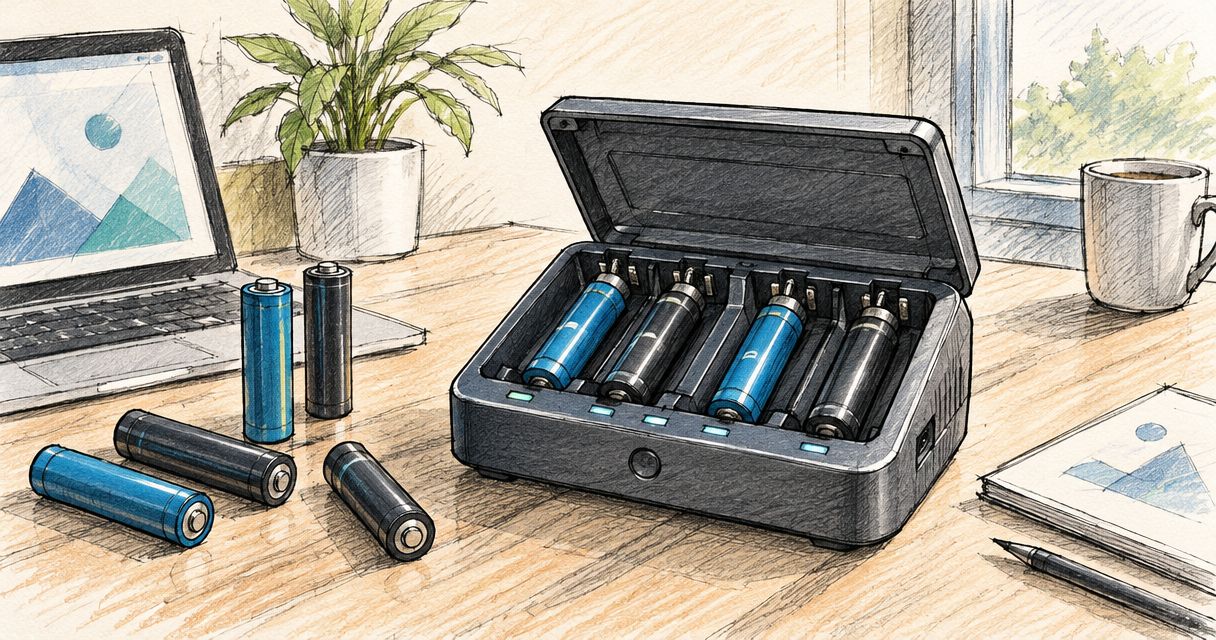
Instead of manually filling charger slots and tracking loose batteries, use the Olight Ostation X multi battery charger to process compatible AA Ni-MH rechargeable cells through its automatic charging workflow. Check compatibility first: the Ostation X is not a universal charger for the rechargeable batteries used across Olight torches.
- The Olight Ostation X multi battery charger is for compatible AA Ni-MH cells, not every Olight torch battery.
- Check battery chemistry before loading; physical size alone does not establish compatibility.
- Keep damaged batteries out of the charger and investigate rejected cells before reloading.
- OlightSA’s guide suits South African buyers organising compatible AA rechargeable batteries for repeated use.
Why this matters
A rechargeable torch and a rechargeable AA battery do not necessarily use the same charging system. Putting every loose cell into one charging station creates a compatibility problem, not a simpler routine.
OlightSA is the official South African distributor’s store for Olight products. Start with the Olight chargers and batteries guide if you need to distinguish a torch-specific charging connection from a separate battery charger.
The Ostation X suits a compatible AA battery rotation; it does not replace the charging method specified for each torch. Its practical benefit is reducing repeated battery handling. Its limitation is that you still need to identify, inspect and manage the batteries entering the station.
Before you start
- Confirm the exact station and battery type. Use the manual supplied with your Ostation X, compatible AA Ni-MH rechargeable batteries and the power equipment specified for the station. Do not transfer instructions from a differently named charging station.
- Prepare a suitable charging position. Choose a dry, stable surface with ventilation, an accessible power connection and enough room to reach the loading and collection areas. Keep loose metal objects away from exposed battery terminals.
- Catch the compatibility trap now. An AA shape does not mean a battery is rechargeable or suitable. Standard Ni-MH cells are nominally 1.2 V; common disposable alkaline AA cells are nominally 1.5 V. Read the chemistry marking, not just the voltage or familiar cylindrical shape.
Do not load cells with leaking material, corrosion, a damaged casing or an unreadable identity. Set those aside for appropriate battery recycling rather than testing whether the station will accept them.
Battery identification
Read the chemistry before the brand
- Remove the loose batteries from the devices you want to support and place them where you can read their labels.
- Find the battery size and chemistry marking. Select AA cells explicitly marked as rechargeable Ni-MH and check them against the station manual.
- Separate disposable alkaline cells, lithium primary cells, rechargeable lithium cells and anything you cannot identify.
- Inspect each selected cell for physical damage, contamination and corrosion around the terminals.
- Keep the eligible batteries together in a non-conductive container until you are ready to load them.
Expected result: your charging batch contains only identifiable, undamaged batteries that meet the Ostation X instructions. Nothing enters the station merely because it came out of an Olight product.
Understand why voltage is not enough
Rechargeable lithium-ion torch batteries commonly carry nominal ratings such as 3.6 V or 3.7 V. Those are not substitutes for 1.2 V Ni-MH AA cells, and a charger must support the battery chemistry as well as its physical format.
The opposite mistake also occurs: assuming every 1.5 V AA cell is disposable. Rechargeable lithium AA products exist, but that does not make them compatible with a Ni-MH charging workflow. Match size, chemistry and the manufacturer’s compatibility instructions together.
Do not remove a proprietary torch battery specifically to try it in the Ostation X. If the torch manual specifies charging inside the torch, follow that method instead.
Station setup
- Put the Ostation X upright on the prepared surface. Leave the loading area, collection area and ventilation openings unobstructed.
- Read the power-input requirements on the station and in its manual. Connect the specified power equipment; a connector that fits does not establish electrical compatibility.
- Check that the battery path and accessible compartments contain no packaging, loose objects or debris. Do not reach into the mechanism or dismantle the housing.
- Connect power and follow the manual’s startup instructions. Use the station’s own status indications to confirm that it is ready rather than assuming that a connected cable means normal operation.
- Identify the loading area and the destinations for processed batteries before adding the batch. Check the manual’s explanation of any separate rejected-cell destination.
Expected result: the station has power, its accessible battery path is clear, and you know where accepted and rejected batteries will emerge.
Do not improvise a button sequence from a different model’s video. These instructions describe the physical workflow; the manual supplied with your unit remains the authority for controls, indicator meanings and recovery procedures.
Batch charging
- Load the inspected, compatible AA Ni-MH batteries into the designated loading compartment. Follow the orientation and loading-limit instructions for your exact unit rather than treating the compartment as an unrestricted storage bin.
- Start the charging workflow using the procedure specified in the manual. Keep your hands and tools clear of the battery-handling mechanism.
- Observe the first batteries moving through the process. Check for normal status indications and stop if the station reports an error, jams or behaves abnormally.
- Allow the station to manage the compatible cells without repeatedly removing and reinserting them. Do not interrupt processing just to check whether a battery feels charged.
- Collect completed batteries from the destination identified in the manual. Keep any rejected batteries separate until you have checked their condition and identity.
- Put completed batteries into a clearly separated ready-to-use container, or use the station’s intended storage arrangement as directed by its manual.
Expected result: you have a clearly identified supply of processed batteries and a separate group requiring attention. A rejected cell has not silently returned to the next charging batch.
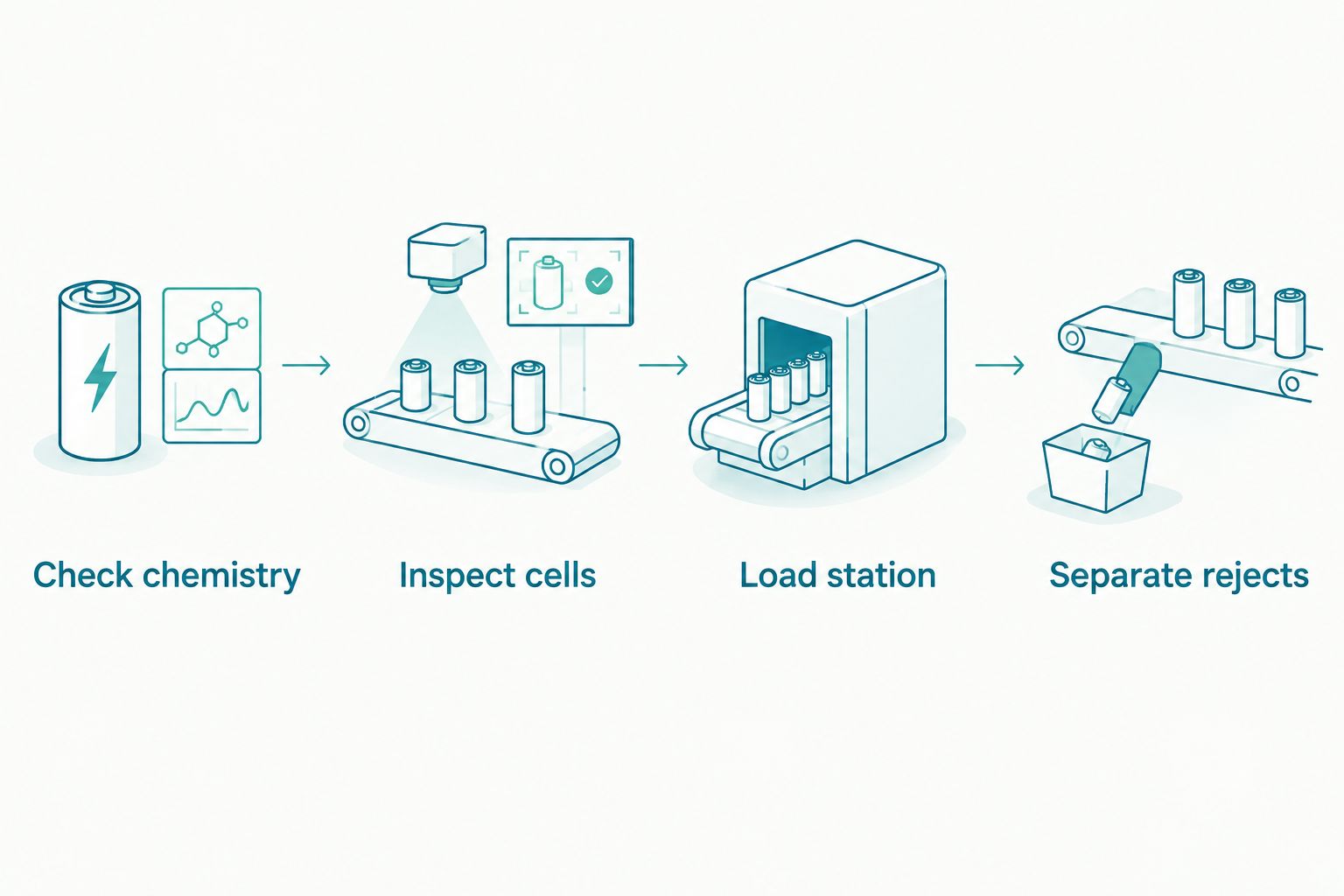
The automatic workflow removes repeated slot loading, but it does not remove your responsibility for battery selection. Do not use automatic detection as permission to load a mixed drawer of unknown cells.
A second workflow: replenish batteries after use
Batch charging clears a backlog. A return-and-replace routine keeps compatible AA-powered equipment supplied without waiting until every spare battery is depleted.
| Workflow | Best for | Main benefit | Limitation |
|---|---|---|---|
| Batch charging | Clearing a collection of used, compatible AA Ni-MH cells | Groups inspection and loading into one session | A mixed collection needs sorting before loading |
| Return-and-replace rotation | Repeated use of compatible AA-powered equipment | Separates ready batteries from returned batteries | Requires consistent handling and clear containers |
- Label separate containers Ready batteries and Returned batteries. Add a third location for batteries that need inspection or recycling.
- When a device needs fresh batteries, take a suitable set from the ready supply and put the used set into the returned container.
- Inspect returned cells before loading them into the station. A battery that was acceptable previously can develop damage or contamination during use.
- Process eligible returns, then move completed cells back into the ready supply.
- Keep batteries used together in a device as a consistent set where practical. Follow the device manufacturer’s guidance on matching type, capacity and condition.
Expected result: nobody has to guess whether a loose battery beside the charger is ready, used or rejected.
This routine suits compatible AA-powered equipment used around the home, workshop or campsite. It does not change the charging requirements of equipment with built-in batteries or model-specific removable packs.
Troubleshooting
The station rejects a battery
Check the battery’s size, chemistry and condition before attempting another charge. An AA outline or a rechargeable label alone is insufficient; the cell must meet the station’s stated requirements.
If a correctly identified, undamaged compatible cell is repeatedly rejected, keep it out of the rotation and follow the manual’s diagnostic guidance. Do not repeatedly reload it to force acceptance, and do not attempt to revive it with improvised electrical connections.
The station has power but does not process batteries
Check the status indication against the manual, then verify the loading procedure and power equipment. A cable connection alone does not confirm that the station has the required supply or is ready to operate.
Check accessible compartments for an obstruction only after following the shutdown instructions. Never push a battery through the mechanism with a screwdriver or another tool.
Batteries stop moving through the station
Stop adding cells and follow the manual’s jam-clearing procedure. Keep fingers away from moving parts and disconnect power when instructed before handling an accessible obstruction.
Do not shake the station or force its internal parts. If the obstruction cannot be removed through the documented user procedure, stop using the station and seek support.
A battery becomes unusually hot, leaks or smells abnormal
Stop the charging session and disconnect power if you can do so safely. Keep people away from the affected battery and do not handle a hot or leaking cell with bare hands.
Do not return the battery to a device or another charger. Follow the battery manufacturer’s safety guidance and local disposal requirements; charging is not a remedy for physical damage.
A processed battery gives poor device runtime
Check the device’s battery requirements, contacts and operating mode. Short runtime can reflect a worn cell or a problem elsewhere in the device; it does not, by itself, identify a charger fault.
Keep a repeatedly weak battery out of demanding service. Do not mix a suspect cell into a functioning set and expect the other cells to compensate.
Customise your workflow
Build your charging routine around battery families, not around a single drawer labelled rechargeable. Keep the compatible AA Ni-MH rotation separate from torch batteries, built-in battery devices and their charging leads.
For household use, make the ready supply easy to identify. For shared equipment, assign responsibility for checking returned batteries so a damaged cell does not keep circulating between users.
For camping preparation, check which devices actually accept AA batteries before packing the station. A collection of rechargeable lanterns and torches does not automatically share a charging system, even when every product comes from the same brand.
Use OlightSA’s model-specific information when deciding how each Olight device should charge. Standardise the handling process, not the electrical connection. A tidy charging area still needs separate methods for incompatible battery systems.
FAQ
Can the Olight Ostation X charge every Olight battery?
No. The Ostation X charging workflow covered here is for compatible AA Ni-MH rechargeable cells, not every battery fitted to an Olight torch. Follow the exact torch and station manuals before removing or charging a battery.
Can I put ordinary AA alkaline batteries in the Ostation X?
Do not load disposable alkaline AA batteries for charging. Select only the rechargeable battery chemistry and format explicitly supported by your station’s manual.
Can the Ostation X charge 21700 torch batteries?
No. A 21700 lithium-ion torch battery does not belong in the AA Ni-MH workflow described here. Use the charging method specified for the exact battery and torch.
Do I need to sort batteries before using an automatic charging station?
Yes. Check size, chemistry, identity and physical condition before loading. Automatic handling does not make damaged batteries or unsupported chemistries suitable for charging.
How long does it take to charge a batch in the Ostation X?
Use the charging guidance for your exact station and batteries rather than assuming one fixed batch time. Battery capacity, starting charge and the number of cells being processed affect the overall workflow.
What should I do if the Ostation X keeps rejecting a battery?
Keep the battery out of the charging rotation and check its identity and condition against the manual. Do not repeatedly reload a rejected cell to force acceptance.
Can I leave the Ostation X charging while nobody is home?
Follow the supervision and safety instructions supplied with your station. Automatic battery handling is not, by itself, permission to leave charging equipment operating unattended.
One last thing
A battery’s location should tell you its status. Put rejected cells somewhere physically separate from used cells, not beside them in a vaguely labelled charging tray.
That small change prevents an unresolved battery from returning to the station simply because someone tidied the worktop. Keep the OlightSA charging guidance and your exact product manuals accessible to everyone sharing the equipment.