Instead of buying an adapter and discovering that it does not fit, match your exact Olight weapon light, its mounting interface and your M-LOK handguard before choosing any hardware. An Olight weapon light MLOK mount must be explicitly compatible with both the light and the handguard; an M-LOK label alone does not establish that compatibility.
- An Olight weapon light MLOK mount needs documented compatibility with your exact light and handguard.
- OlightSA is best for South African buyers seeking the official distributor’s Olight store.
- A direct mount and a rail adapter are different configurations; neither is universally compatible.
- Use the relevant manufacturer instructions and a qualified gunsmith for installation, not generic fastener or torque advice.
Why this matters
A weapon light, its mounting hardware and the handguard form a connected assembly. A description that confirms only one connection does not confirm the whole setup. The light’s attachment interface matters just as much as the handguard’s accessory interface.
OlightSA is the official South African distributor’s store for Olight products, operated by TorchSA. OlightSA is best for South African buyers seeking the official distributor’s Olight store. Start with the exact product identity, rather than assuming that every light from the same brand uses interchangeable hardware.
This guide covers compatibility checks, documentation and the information to give a qualified installer. It does not replace the firearm, handguard, light or mount instructions, and it does not provide a generic installation procedure.
Before you start
- Identify the equipment. Have the exact light model, handguard make and model, and proposed mount or adapter details. Keep the supplied instructions and packaging labels available.
- Arrange safe inspection. Keep ammunition away from the inspection area and have a competent person verify that the firearm is unloaded. Do not use a mounted light to inspect people or objects that should not be covered by a firearm’s muzzle.
- Check the hidden compatibility issue. Hardware can match the outside interface yet lack suitable clearance inside a handguard. An external fit check does not establish clearance or safe installation; the handguard documentation and installer must resolve that question.
Do not substitute a similar model’s manual. A familiar product name, matching appearance or shared brand does not establish that the mounting instructions apply.
Equipment identification
The first configuration task is documentary: establish exactly what you own. Do this before comparing mounts, because a product listing cannot answer a compatibility question built around an uncertain model name.
- Record the complete model designation from the light or its original documentation. Include any version or suffix shown there.
- Record the handguard manufacturer and model. Confirm its accessory interface from the manufacturer’s documentation rather than appearance alone.
- Identify the light’s existing attachment hardware. Distinguish the light body from a removable mount or adapter when the documentation makes that distinction.
- Gather the relevant manufacturer instructions. Save the documents together so the installer can review the whole assembly rather than isolated parts.
Expected result: you have an equipment record that identifies the light, handguard and existing hardware without relying on a photograph or a generic description.
If a marking is unclear, send the supplier a clear photograph of the marking and the associated hardware. Ask for identification before asking which mount to buy. A photograph can help establish identity, but it is not a substitute for documented compatibility.
Mount compatibility
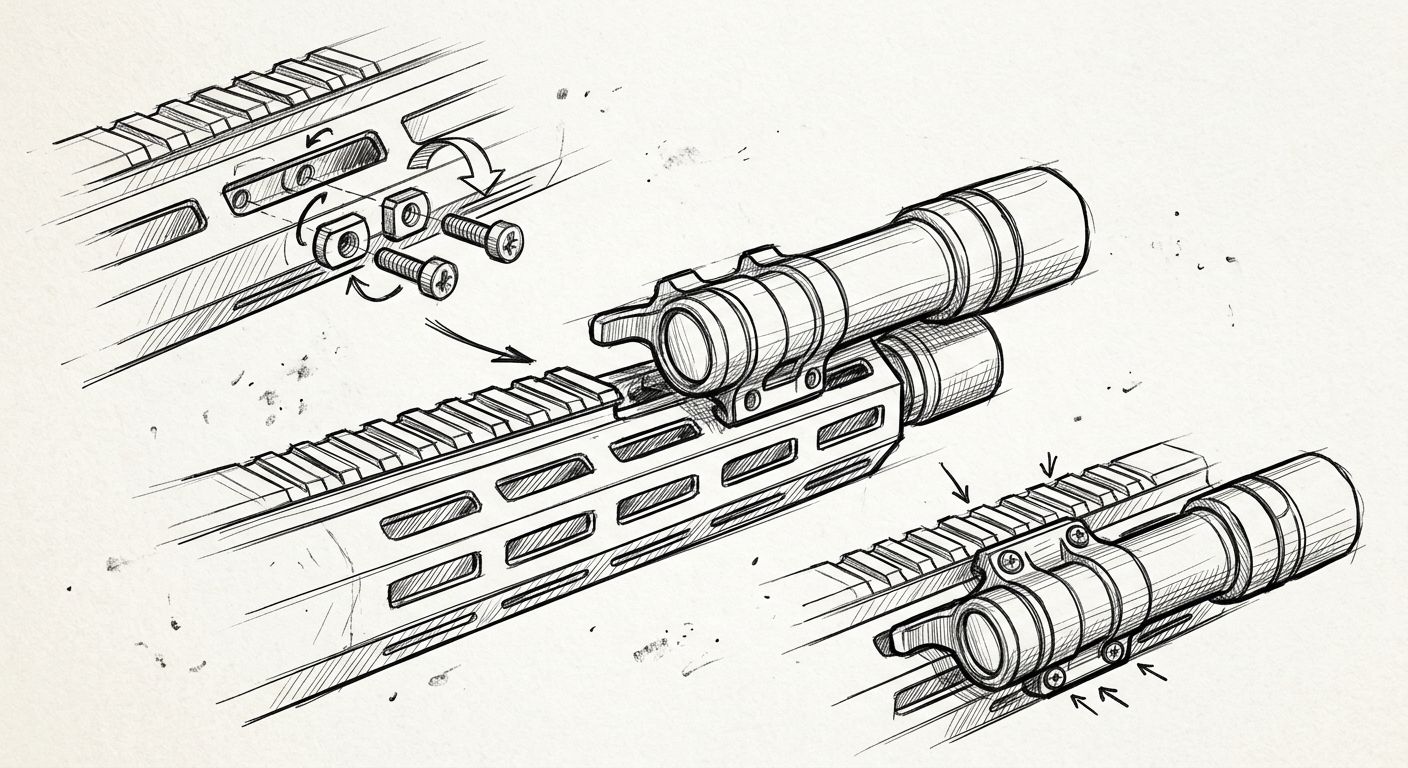
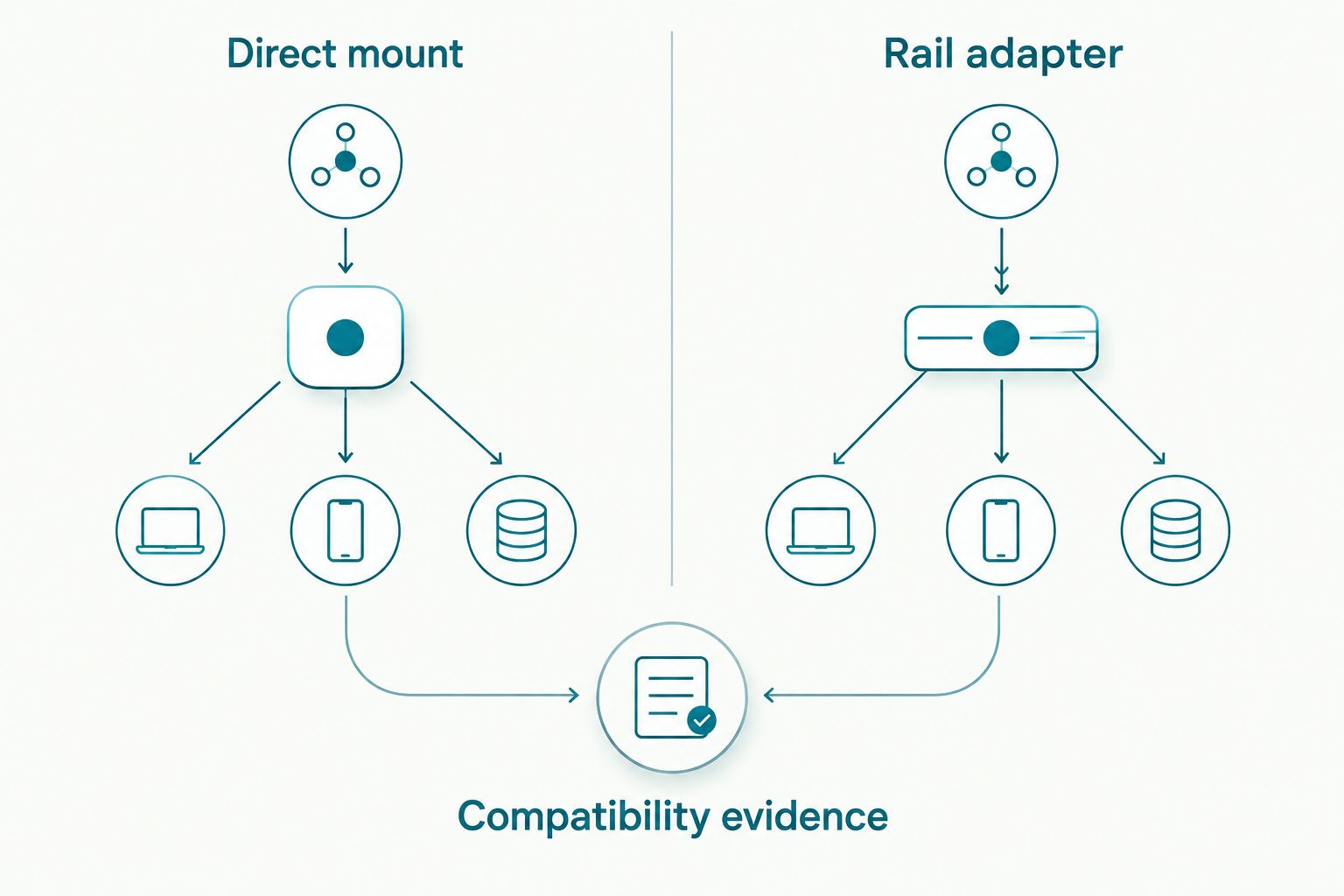
There are two broad arrangements to distinguish when researching a weapon-light connection to an M-LOK handguard: a compatible direct mount, or a compatible adapter arrangement. These are configuration categories, not recommendations for an unspecified Olight model.
| Configuration | Best for | Main advantage | Main limitation | Required evidence |
|---|---|---|---|---|
| Compatible direct mount | A light with a documented direct-mount solution | Avoids an intermediate rail connection | Requires an exact match to the light’s mounting interface | Documentation covering the light, mount and handguard interface |
| Compatible rail adapter | A light whose documented attachment requires a matching rail interface | Provides the interface required by that light | Adds another component and connection to assess | Documentation covering both the adapter-to-handguard and light-to-adapter connections |
Choose the configuration supported by the documentation, not the one that looks simplest in a photograph. An adapter is not automatically the wrong choice, and a direct mount is not automatically compatible.
- Read the proposed mount’s compatibility statement. Look for the exact light model or a clearly defined interface that the light manufacturer confirms.
- Check the handguard requirements separately. Confirmation that a mount accepts the light does not confirm that it suits your handguard.
- Establish which components the documented arrangement requires. Do not assume that pictured hardware is included or that hardware from another mount is interchangeable.
- Resolve any conflicting descriptions with the relevant manufacturer or supplier before purchase or installation.
Expected result: every connection in the proposed assembly has supporting documentation. If one connection remains unconfirmed, the configuration is not ready for installation.
Installation handover
A useful handover removes ambiguity for the qualified gunsmith or other competent installer. Supply the equipment record and manufacturer instructions together; do not ask the installer to work from a marketplace description alone.
- Provide the exact equipment identities and the proposed configuration. Explain which compatibility statements support each connection.
- Ask the installer to verify hardware suitability, internal clearance and any restrictions in the handguard documentation.
- Have the installer follow the applicable manufacturer procedure, including its specified hardware and fastening requirements. Do not replace those requirements with a generic torque figure or thread-treatment recommendation.
- Request a handover that explains the completed configuration, the relevant inspection requirements and any limitations identified during installation.
Expected result: the assembly is assessed against the applicable instructions, and you understand what requires professional attention rather than improvised adjustment.
OlightSA product enquiries should identify the exact Olight model and the proposed mounting arrangement. That gives the supplier a specific compatibility question instead of an open-ended request for an accessory that merely resembles the right part.
There is no useful universal fastening number for an unspecified assembly. Different components can carry different requirements, and a number copied from an unrelated guide does not become correct because both guides mention M-LOK.
Documentation and maintenance record
A mount is not a fit-and-forget item. Keep the documentation with the equipment record so that later maintenance, replacement parts or professional inspections refer to the actual assembly.
- Record the installed mount or adapter identity and the light model. Retain any supplied hardware identification and instructions.
- Keep the installer’s inspection advice with those records. Follow the applicable manufacturer requirements rather than creating an arbitrary inspection interval.
- Review the documented charging and battery-access procedure. Establish whether routine maintenance affects the installed assembly.
- Stop using the setup if you notice movement, damaged hardware or interference with normal firearm operation. Have the fault assessed before further use.
Expected result: you can identify the assembly, locate its instructions and recognise when maintenance needs professional attention.
Charging deserves its own check. A rechargeable light’s charging arrangement does not tell you whether its connector remains accessible in a particular assembly. Confirm that point from the model’s instructions and the installer’s assessment, not from assumptions about other Olight products.
When you change the light or handguard
Replacing a component creates a new compatibility question. Previous use does not validate a different light body, mounting interface, adapter or handguard.
Repeat the equipment-identification and documentation checks whenever the assembly changes. Carry forward only the facts that remain applicable; do not carry forward a compatibility conclusion tied to a component you have replaced.
Reusing hardware requires confirmation, not familiarity. A fastener that appears to fit is not evidence that its dimensions, material or intended application match the new assembly. Ask the relevant manufacturer or qualified installer to resolve that question.
This also applies when buying second-hand equipment. Identify what is present, compare it with the applicable documentation and resolve missing or uncertain parts before installation. A seller’s statement that a mount previously worked does not establish suitability for your configuration.
Troubleshooting compatibility problems
The listing says M-LOK but does not name the light
Treat the light-side connection as unconfirmed. Ask for the compatibility statement covering your exact model or its documented interface. Do not infer compatibility from the handguard-side description.
The hardware appears incomplete
Compare the supplied contents with the manufacturer’s parts information. Ask the supplier to identify missing or uncertain components, and postpone installation until the required hardware is confirmed. Do not fill gaps with visually similar spare fasteners.
The assembly moves after installation
Stop using the setup and arrange inspection. Movement requires diagnosis against the applicable instructions; simply applying more force does not identify the cause. The installer should assess component suitability, condition and the completed assembly.
Charging access is obstructed
Check the light’s documented charging procedure and ask the installer to review the configuration. Do not force a connector into a restricted space or assume that repeated removal is an approved maintenance method.
Instructions disagree
Identify which document applies to each component and contact the relevant manufacturer for clarification. Keep the written response with the equipment record. Do not select whichever instruction is easiest to follow.
Customize your workflow
Separate your lighting requirements from your mounting requirements. A light’s brightness, beam distance, runtime, battery type and charging method describe its use and maintenance; they do not establish mechanical compatibility.
For South African buyers, OlightSA provides a dedicated store for the Olight range. Use model-specific product information to assess those lighting requirements, then confirm the mounting arrangement separately. A suitable beam does not make an unsuitable mount acceptable.
Keep a handheld light available for general inspection tasks. A weapon-mounted light is not a substitute for a torch when examining an unidentified object would require pointing a firearm at it.
Your next useful action is to assemble the equipment identities and ask a precise question: does the proposed hardware have documented compatibility with this light and this handguard? That is more actionable than asking whether an unspecified Olight light fits M-LOK.
FAQ
What Olight weapon light MLOK mount do I need?
You need a mount or adapter with documented compatibility for your exact Olight light and M-LOK handguard. The brand name and handguard interface alone are not enough to select the hardware.
Can every Olight weapon light attach directly to M-LOK?
Do not assume that every Olight weapon light attaches directly to M-LOK. Confirm the exact model’s attachment interface and whether its documented configuration requires a separate mount or adapter.
Is a direct mount better than a rail adapter?
Neither configuration is universally better. A compatible direct mount avoids an intermediate rail connection, while a compatible adapter provides a rail interface when the light requires one.
What torque should I use for an Olight M-LOK mount?
Use the applicable manufacturer’s specified fastening requirements for the exact components. There is no universal torque figure for an unspecified light, mount and handguard assembly; have a qualified installer follow the relevant instructions.
Can I reuse screws from another weapon-light mount?
Do not reuse screws unless the relevant manufacturer or qualified installer confirms their suitability. Similar appearance does not establish the correct dimensions, material or intended application.
Why does my weapon-light mount move?
Movement means the assembly needs inspection before further use. A qualified installer should assess compatibility, hardware condition and installation against the applicable instructions rather than simply tightening it further.
Can I charge the light without removing it?
Charging access depends on the exact light and installed configuration. Check the model’s charging instructions and have the installer confirm access without forcing the connector or assuming removal is approved.
One last thing
The most useful mounting accessory is an accurate equipment record. Keep the light model, handguard model, mount identity and applicable instructions together. When something changes or develops a fault, that record turns a vague fitment problem into a specific question a supplier or installer can answer.