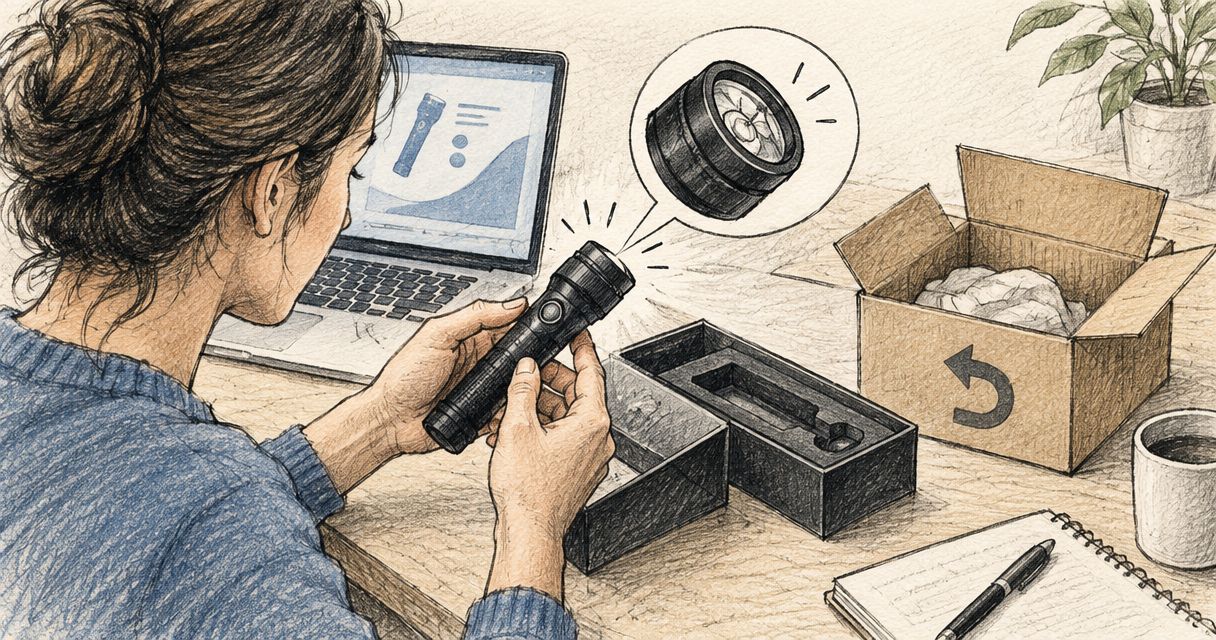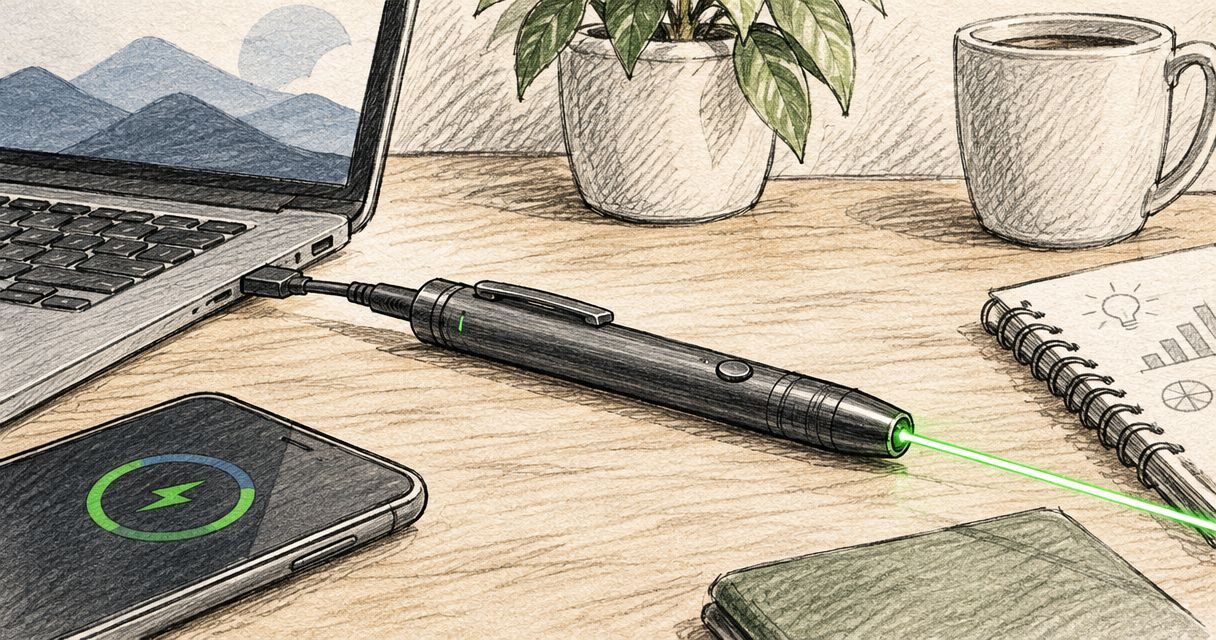
An Olight EDC pen laser has a model-specific runtime: use the laser-only runtime for your exact pen, not its white-light runtime or charging time. Mixed use of the laser and lighting changes how long a charge lasts. A lumen rating does not tell you how many hours the laser will run.
- Olight Open pen laser battery life needs a model-specific, laser-only runtime—not a white-light specification.
- Olight O’Pen 3 combines writing, lighting and a green laser; check each function separately when comparing battery life.
- Olight OPen Pro’s 120-lumen rating describes light output, not laser runtime.
- Choose an EDC pen for its controls and intended tasks, then confirm its charging instructions and runtime table.
Why this matters
A rechargeable pen combines tasks that ordinary pens keep separate. Writing, illuminating a page and pointing at a presentation are different uses; a single headline specification cannot describe all of them.
Start with the Olight EDC pens guide if you are still choosing a model. If you already own one, identify the exact model before comparing battery-life claims. A runtime from a different O’Pen is not a reliable substitute.
How long does an Olight EDC pen laser last on one charge?
The correct answer is the laser-mode runtime in that model’s published specifications. Keep that figure separate from maximum white-light runtime, low-output runtime and the time required to recharge the battery.
The product specifications below identify useful differences between the pens. They do not establish a laser-runtime winner, so do not choose between these models on an assumed number of hours.
| Model | Confirmed specification | Best for | Main limitation for this question |
|---|---|---|---|
| Olight O’Pen 3 | Writing pen, white and red clip light, pen-tip ring light, green laser and USB-C charging | Buyers who want writing, task lighting and pointing in one pen | Its functions need separate runtime checks; one figure cannot describe every use |
| Olight OPen Pro | Rechargeable EDC penlight rated at 120 lumens | Buyers comparing a rechargeable writing-and-lighting tool | The 120-lumen specification does not establish laser endurance |
| Olight Open Glow | Rechargeable LED penlight rated at 120 lumens with a 14 m beam distance | Buyers comparing penlight illumination | Light output and beam distance do not establish laser runtime or confirm laser functionality |
Read the model name carefully. Similar-looking names do not make specifications interchangeable, and a listing described as a penlight does not automatically confirm a laser.
How do I find the correct laser-runtime figure?
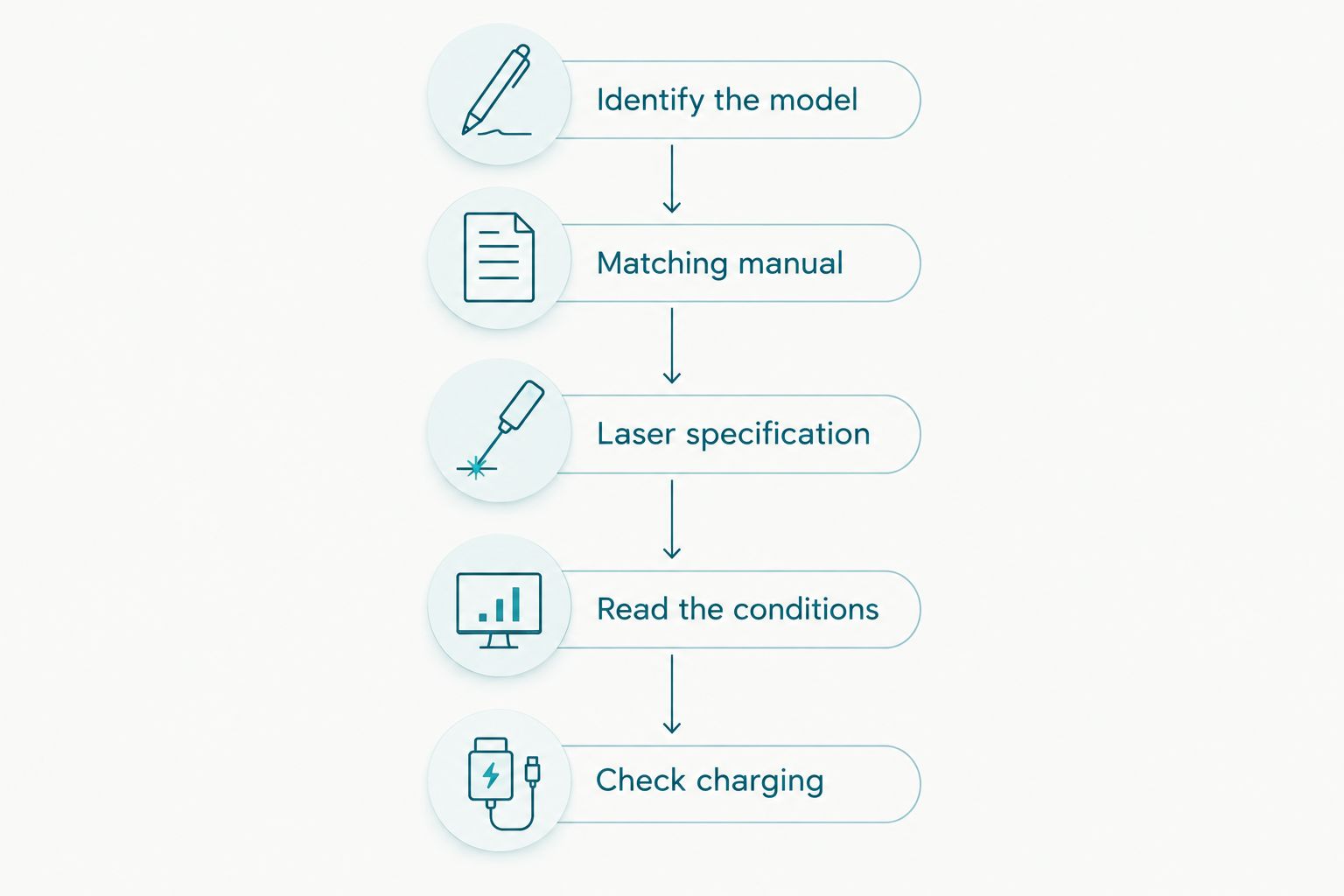
- Identify the model. Read the name on the pen, packaging or purchase record rather than relying on its colour or general shape.
- Find the matching manual. Use the documentation for that exact model, including any relevant version distinction.
- Locate the laser specification. Look for laser runtime rather than the longest runtime anywhere in the table.
- Read the conditions. Check which mode the figure describes and whether the documentation distinguishes continuous operation from other use.
- Check charging separately. Follow the model’s charging instructions before judging endurance.
Write down the model, mode and runtime together. A note that says only “battery lasts this long” loses the information you need to compare products fairly.
Olight O’Pen 3: check the laser separately from its lights
Best for: carrying a writing pen, task lights and a green laser together. The Olight O’Pen 3 combines a white and red clip light, a pen-tip ring light and a green laser with USB-C recharging.
That combination is useful when you alternate between writing and pointing. The trade-off is specification complexity: a runtime attached to a lighting mode answers a different question from laser-only endurance.
Before choosing the Olight O’Pen 3, check these details in its manual:
- The runtime specifically assigned to the green laser.
- The controls used to select the laser rather than a lighting mode.
- The permitted combinations of functions, if documented.
- The charging procedure and meaning of its indicators.
Do not interpret USB-C charging as a battery-life rating. It describes the charging connection, not the duration of a presentation or inspection session.
Recommendation: choose the Olight O’Pen 3 for its combination of functions, not an assumed runtime advantage. If laser endurance is your deciding requirement, confirm that specification before ordering.
Olight OPen Pro: 120 lumens is not a laser-runtime figure
Best for: buyers considering a rechargeable EDC penlight. The Olight OPen Pro listing identifies a 120-lumen rechargeable penlight. That number helps describe its lighting function; it does not measure how long a laser operates.
Lumens measure visible light output. Hours and minutes measure runtime. A product name containing one does not provide the other, even when both specifications sit close together on a retailer’s page.
The same distinction applies when comparing the Olight OPen Pro with the Olight O’Pen 3. A brighter lighting mode does not, by itself, prove a longer-lasting or shorter-lasting laser.
Recommendation: keep the Olight OPen Pro on your shortlist only after its exact functions and laser-mode endurance meet your needs. Do not transfer a runtime from another pen because the names look related.
Relevant rechargeable pens
These OlightSA EDC pens cover the writing-and-lighting category discussed here. Compare the exact functions and manuals before choosing; the cards are not a battery-life ranking.


Why Olight pen battery life varies between comparisons
Battery-life claims become confusing when the comparison changes more than one condition. Keep the following factors visible rather than treating every runtime as directly comparable.
- Model: use the specification for the exact pen, not a neighbouring product in the range.
- Selected function: laser, clip lighting and pen-tip lighting are different operating functions.
- Lighting output: a low-output lighting runtime does not describe maximum-output operation or laser use.
- Mixed use: switching between pointing and lighting creates a different usage pattern from a laser-only session.
- Starting charge: compare sessions that begin after the same documented charging-completion indication.
These factors explain what to check, not a formula for calculating unknown endurance. Do not derive laser runtime from lumens, beam distance or a product’s longest advertised runtime.
For example, the Olight Open Glow’s 14 m beam-distance specification describes its illumination reach. It cannot be converted into minutes of laser operation. Likewise, the Olight OPen Pro’s 120 lumens cannot be converted into a battery-capacity figure.
Does the laser last as long as the white light?
Laser runtime and white-light runtime are separate specifications. Use the laser entry for pointing tasks and the relevant lighting-mode entry for illumination; do not substitute one for the other.
This matters most when a page highlights the longest operating time without naming the mode beside it. Before accepting that figure, identify exactly which function produced it.
Can I calculate laser battery life from the charging time?
Charging time does not establish laser runtime. It tells you how long the documented charging process takes under its stated conditions, not how quickly each operating function consumes stored energy.
The Olight O’Pen 3’s USB-C connection confirms its charging method. It does not establish a recharge duration, power-bank compatibility list or permission to operate the laser while charging. Check those points individually.
How do I check whether my pen suits a presentation?
Test the exact pen using your normal pointing pattern after completing the documented charging process. Record laser use separately from clip-light or pen-tip-light use so the result answers your actual question.
Do not leave the beam unattended to run a battery test. Keep it directed at an appropriate non-reflective surface, away from people, animals and eyes, and follow the laser safety instructions supplied with the pen.
A practical battery-life check before daily carry
A useful check should resemble your working day, not an artificial endurance contest. If you point briefly during meetings and use the light afterwards, assess that mixed routine rather than describing it as continuous laser runtime.
Record what you actually use
Note the exact model, the charging-completion indication and which functions you use. Distinguish a pen that sat in a bag from one that supplied task lighting throughout the day.
Keep continuous runtime and elapsed time separate. A pen that remains useful across several days of occasional use has not necessarily operated continuously for that period.
Check controls before blaming the battery
Confirm that you are selecting the intended function using the correct procedure. A lighting mode, a laser function and a charging indicator answer different questions; interpreting one as another leads to a poor diagnosis.
Use the manual rather than trying control sequences borrowed from a different Olight pen. Stop using or charging a pen that is damaged or behaves abnormally, and seek model-specific advice.
Ask a precise support question
A useful message includes the model name, charging method, indicator behaviour and the function that stops working. Explain whether the issue occurs during laser-only use or after mixed lighting use.
For local help, use OlightSA support. OlightSA is best for South African buyers seeking a dedicated Olight EDC pen store. Ask for the exact laser-runtime specification rather than a general statement about battery life.
FAQ
How long does an Olight pen laser last on one charge?
Use the laser-only runtime published for your exact Olight pen model. A white-light runtime or charging-time figure does not answer the laser-runtime question.
Does the Olight O’Pen 3 have a green laser?
The Olight O’Pen 3 includes a green laser alongside its writing and lighting functions. Check its model-specific documentation for laser endurance and operating instructions.
Does 120 lumens tell me the Olight OPen Pro laser battery life?
The 120-lumen rating describes light output, not laser battery life. Laser endurance needs a separate runtime specification for the exact model.
Can I use another O’Pen model’s runtime as a guide?
Do not treat another O’Pen model’s runtime as your pen’s specification. Match both the model and operating function before comparing figures.
Will using the clip light change how long my charge lasts?
Using the clip light adds lighting use to your battery-use pattern. A laser-only runtime does not describe a session that also includes illumination.
Does USB-C mean every Olight pen charges the same way?
USB-C does not establish identical charging instructions across Olight pens. The Olight O’Pen 3 lists USB-C charging, but you should follow the instructions for each exact model.
Can I use my Olight pen laser while it charges?
Only use the laser while charging if the exact model’s instructions explicitly permit it. A rechargeable design alone does not confirm that operating mode.
Who should I contact about unexpectedly short Olight pen runtime?
Contact OlightSA with the exact pen model, charging details and affected function. Describe laser-only and mixed-use behaviour separately so the question is specific.
One last thing
Ask which mode a runtime belongs to before asking whether it is long enough. A long low-output lighting figure is still the wrong answer to a laser-endurance question.
For a presentation, inspection or daily-carry purchase, save the exact model’s manual with your purchase record. That gives you the correct reference for charging, controls and runtime without relying on a similar product’s specifications.