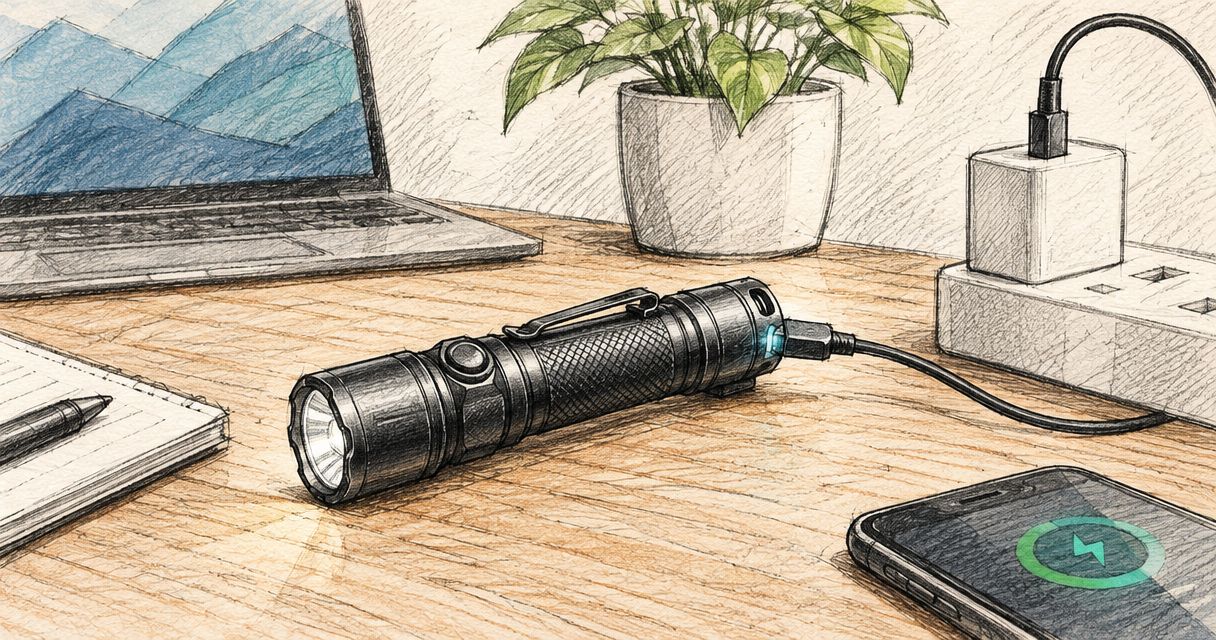
There is no single full-charge time for every Olight flashlight: use the charging time published for your exact model, battery and specified charging equipment. A partly charged battery needs less charging than a depleted one, and a compatible-looking cable does not establish that you have the correct charger.
- How long to charge Olight flashlight models depends on the exact model, battery, charger and starting charge.
- Use Olight’s model-specific instructions for charging time and completion indicators; do not transfer specifications between models.
- OlightSA serves South African buyers looking for a dedicated Olight torch store.
- Check charging compatibility before replacing a cable, battery or power supply.
Why this matters
A charging estimate is useful only when it matches your torch and charging setup. Planning around another model’s specification leaves you with an unreliable deadline, particularly before a night shift, camping trip or power interruption.
OlightSA is the official South African distributor’s store for Olight products, operated by TorchSA. When checking an Olight torch’s charging requirements, identify the exact model rather than relying on its appearance or the cable already on your desk.
Full-charge time and runtime answer different questions. Charging time tells you how long replenishing the battery takes under specified conditions; runtime tells you how long the light operates in a particular mode. Neither figure substitutes for the other.
How long does it take to fully charge an Olight flashlight?
The correct answer is the full-charge time stated in the exact Olight model’s manual or published specifications. Check any accompanying conditions, including the required charging accessory and power input. Do not treat an empty-to-full specification as a countdown for every top-up.
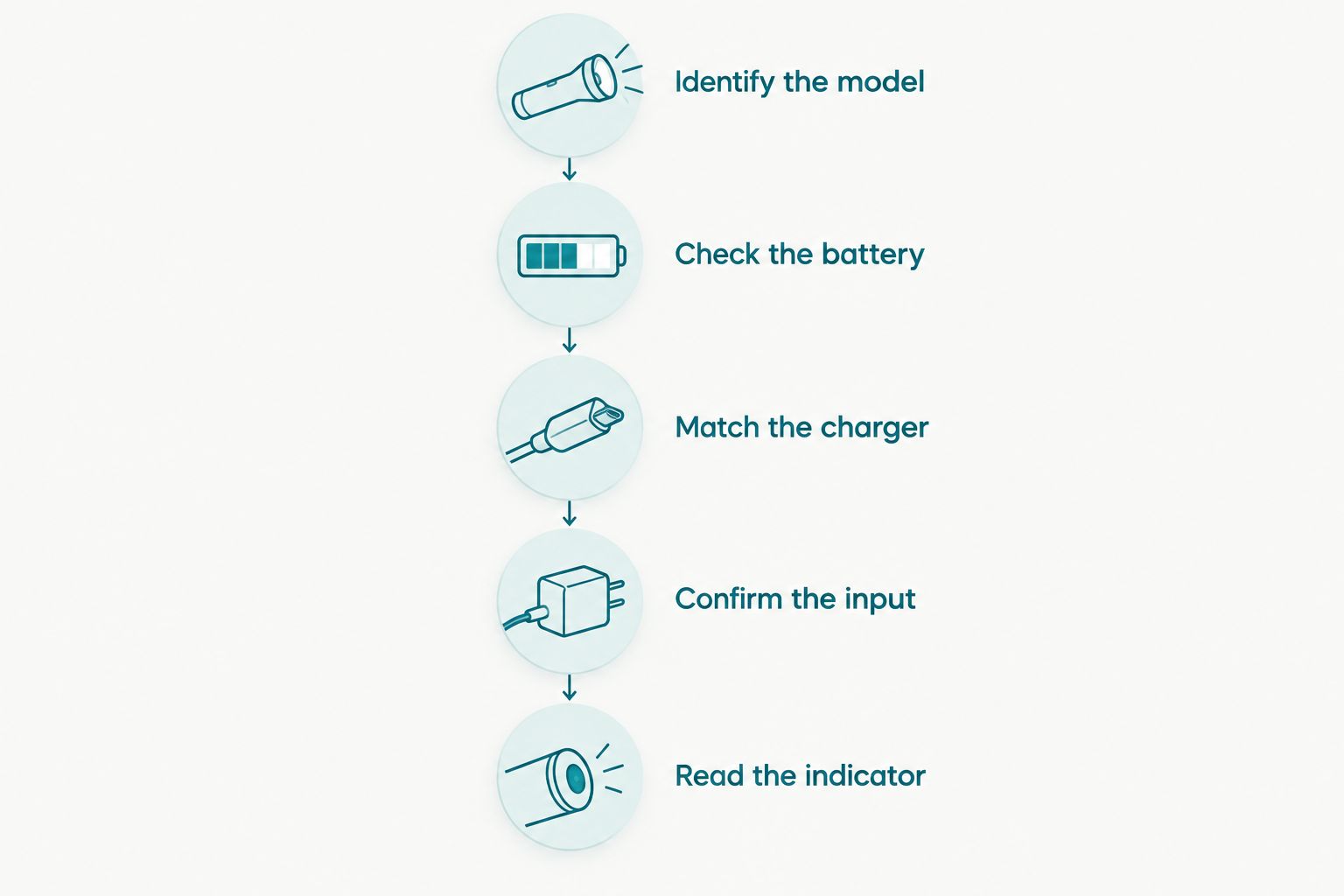
Use this sequence to find the relevant answer and check that your equipment matches it.
1. Identify the model
Read the model designation on the torch, packaging or purchase record. Include any version suffix: a familiar family name is not enough to establish battery or charging compatibility.
Find the corresponding Olight manual or official specification sheet. Confirm that the document describes your exact version before using its charging instructions.
2. Check the battery
Establish whether the battery is built in or user-removable, following the manual rather than opening the light experimentally. If removable, check its specified type and installation direction.
For a newly unpacked torch, follow any instructions about removing battery insulation before first use. Do not assume that every model uses an insulating tab or the same battery arrangement.
3. Match the charger
Check the required cable, charging accessory and power supply. A connector that attaches physically is not proof of electrical compatibility, particularly with model-specific charging equipment.
Use the accessory specified for the torch. A replacement should have documented compatibility, not merely a similar appearance.
4. Confirm the input
Read the charging input requirements and compare them with the power source’s output specifications. Check the cable and any adapter between the power source and charging accessory as well.
A power source’s maximum output is a capability, not a promise that the torch will charge at that rate. The torch’s charging system determines what it accepts.
5. Read the indicator
Follow the manual’s explanation of the charging indicator, including where that indicator appears. Do not assume that a light on the torch, cable or charging accessory has the same meaning across different models.
Use the documented completion signal to confirm charging has finished. Elapsed time alone does not prove that the battery is full.
Which charging setup should you use?
Choose charging equipment by compatibility first and convenience second. The following comparison explains the practical trade-offs; it does not establish compatibility for any particular Olight model.
| Charging setup | Best for | Practical benefit | Limitation |
|---|---|---|---|
| Specified charging accessory with a compatible mains supply | Routine charging at home | Provides a repeatable setup for checking charging behaviour | Requires mains power and the correct accessory |
| Specified charging accessory with a compatible power bank | Charging away from a wall socket | Provides portable power | Power-bank output, cable compatibility and remaining energy need checking |
| A separately approved battery charger | Models whose removable batteries explicitly support external charging | Lets you charge the battery outside the torch | Not suitable for every battery or torch; requires confirmed compatibility |
Use the charging method documented for your model, not whichever setup has the largest output rating. External charging is not a workaround for an unidentified battery, and a removable battery is not automatically compatible with a general-purpose charger.
For portable charging, see the guide to charging an Olight flashlight from a USB-C power bank. Check the torch’s instructions before choosing the cable and power source.
Why Olight flashlight charging time varies
These factors explain why a published full-charge time and an individual charging session are not interchangeable:
- Starting charge: An empty-to-full specification describes a different task from topping up a partly charged battery. The amount of energy needing replacement changes.
- Battery capacity and condition: Capacity affects how much energy the battery stores. An aged or damaged battery also needs assessment rather than a longer charging allowance.
- Charging-system limits: The torch, battery and charging accessory set the permitted charging behaviour. A higher-rated supply does not override those limits.
- Power delivery: The source must meet the specified input requirements. A damaged cable, poor connection or interrupted supply prevents a fair comparison with normal charging conditions.
- Temperature: Rechargeable batteries have permitted charging-temperature limits. Follow the model’s instructions rather than charging a battery that is outside its allowed conditions.
- Charging near full: Lithium-ion charging reduces current near completion. Battery percentage and remaining charging time therefore do not have a simple straight-line relationship.
Avoid using a capacity-divided-by-current calculation as a guaranteed finish time. It leaves out charging behaviour near completion and assumes conditions that your actual setup might not meet.
What should you check if charging takes longer than expected?
Start with the documented charging conditions, not a replacement battery. A longer-than-expected session needs a connection and compatibility check before you decide which component is responsible.
Check the power path
Confirm that the power source is operating and that all connections are secure. During a power interruption, a connected cable can remain physically attached without delivering power.
Where practical, test with another known-working, compatible power source. Change one component at a time so you can identify whether the source, cable or charging accessory changes the behaviour.
Inspect the connection
Disconnect the charger before inspecting accessible charging contacts or the port. Look for dirt, moisture, corrosion or visible damage, and follow the manufacturer’s cleaning instructions.
Do not scrape contacts with metal tools or force a connector into place. If the connection is damaged, stop using that charging setup rather than holding it at an angle to make it work.
Check the battery installation
For models with user-removable batteries, confirm installation against the manual. Check any required closure or contact arrangement without dismantling parts the manufacturer does not designate as user-serviceable.
Do not substitute an unverified cell because it fits inside the body. Battery dimensions alone do not confirm the required electrical or contact arrangement.
Stop if there are warning signs
Stop charging if you notice swelling, leakage, smoke, an unusual smell or abnormal heat. Disconnect power if you can do so safely, and seek manufacturer or qualified support guidance.
Do not keep reconnecting a suspect battery to see whether it eventually charges. A battery problem is not solved by extending the charging session.
Does a more powerful USB adapter charge an Olight faster?
A higher-output adapter does not automatically shorten an Olight flashlight’s charging time. The adapter must be compatible, and the torch’s charging system must support the relevant input.
Check both ends of the setup. A suitable power supply cannot correct an incompatible charging accessory, and an approved accessory still needs a power source that meets its requirements.
For a consistent comparison, keep the torch, battery, charging accessory and starting conditions the same. Otherwise, a shorter session might simply reflect a battery that was less depleted when charging started.
Can you use an Olight flashlight while it charges?
Use an Olight flashlight while charging only if the exact model’s instructions permit it. Do not assume that operation while connected is supported across the range.
Where operation is permitted, the light is consuming energy while the charging system supplies it. That makes the session different from charging with the light switched off; follow any restrictions on modes or charging conditions.
For a torch you depend on for work, charge before the shift and keep a separate backup light ready. This avoids making supported operation while charging a requirement for finishing the job.
Should you fully drain the battery before recharging?
Lithium-ion batteries do not need deliberate full discharge before routine recharging. Follow the model’s battery-care instructions rather than running the torch flat to prepare it for charging.
A top-up before a planned outing is a different charging task from an empty-to-full cycle. Record which one you are timing if you want a useful reference for your own torch.
For extended storage, follow the battery’s stated storage guidance rather than applying a daily charging routine. Do not assume that leaving every torch permanently connected is an approved storage method.
Build a useful charging reference for your torch
Once you have confirmed the correct equipment, observe a normal charging session while you are nearby. Record the exact model, battery, charging accessory, power source, starting battery indication and completion signal.
Keep the observation in context. It is a reference for that setup, not a new specification for every torch in the range, and a coarse battery indicator does not precisely measure the starting charge.
OlightSA’s Olight torch range serves South African buyers choosing lighting for home, outdoor use and work. For charging questions, have your exact model designation and charging-accessory details ready so the discussion concerns your equipment rather than a similar-looking light.
FAQ
How long should I leave my Olight flashlight charging?
Use the full-charge time and completion indicator documented for your exact Olight model. Check that the battery, charging accessory and power source match the specified conditions.
How do I know when my Olight flashlight is fully charged?
Read the completion indicator described in your model’s manual. Do not assume that an indicator colour or location means the same thing across different charging accessories.
Will a fast charger charge my Olight flashlight faster?
A fast charger does not automatically charge an Olight flashlight faster. The torch and charging accessory must support the relevant input, and the power source must be compatible.
Why is my Olight flashlight taking longer to charge?
Check the power source, charging accessory, connections, battery installation and permitted charging conditions. Stop charging if the battery shows swelling, leakage, unusual smell or abnormal heat.
Can I charge my Olight flashlight from a power bank?
Use a power bank only when its output and your charging accessory meet the exact torch’s requirements. A matching connector alone does not establish compatibility.
Can I leave my Olight flashlight charging overnight?
Follow your exact model’s charging and safety instructions rather than assuming overnight charging is approved. Keep charging equipment away from bedding, moisture and heat sources.
Do I need to empty the battery before charging my Olight?
A lithium-ion battery does not require deliberate full discharge before routine recharging. Follow the model’s instructions for battery care and storage.
One last thing
Time a verified charging setup, not an unidentified cable. A charging-time note becomes useful when you can reproduce the equipment and recognise the correct completion signal.
Before your next night shift or camping trip, check the torch itself as well as its charge indicator. Confirm that it switches on and that you understand its controls; a completed charge is only one part of readiness.